 Home
Home  Bonuses
  Offers
  Daily Wheel
Kong Casino Login and Sign Up Process
It’s possible to complete your Kong registration, login and verification on both desktop and mobile. The whole process is simple, and it is even possible to play on the go. After that you will have access to the casino functionality and its massive catalogue of 3,000+ games, rewarding bonuses and a diverse payment portfolio. So, you can become a part of the merry party by signing up and verifying your account.
How to Register?
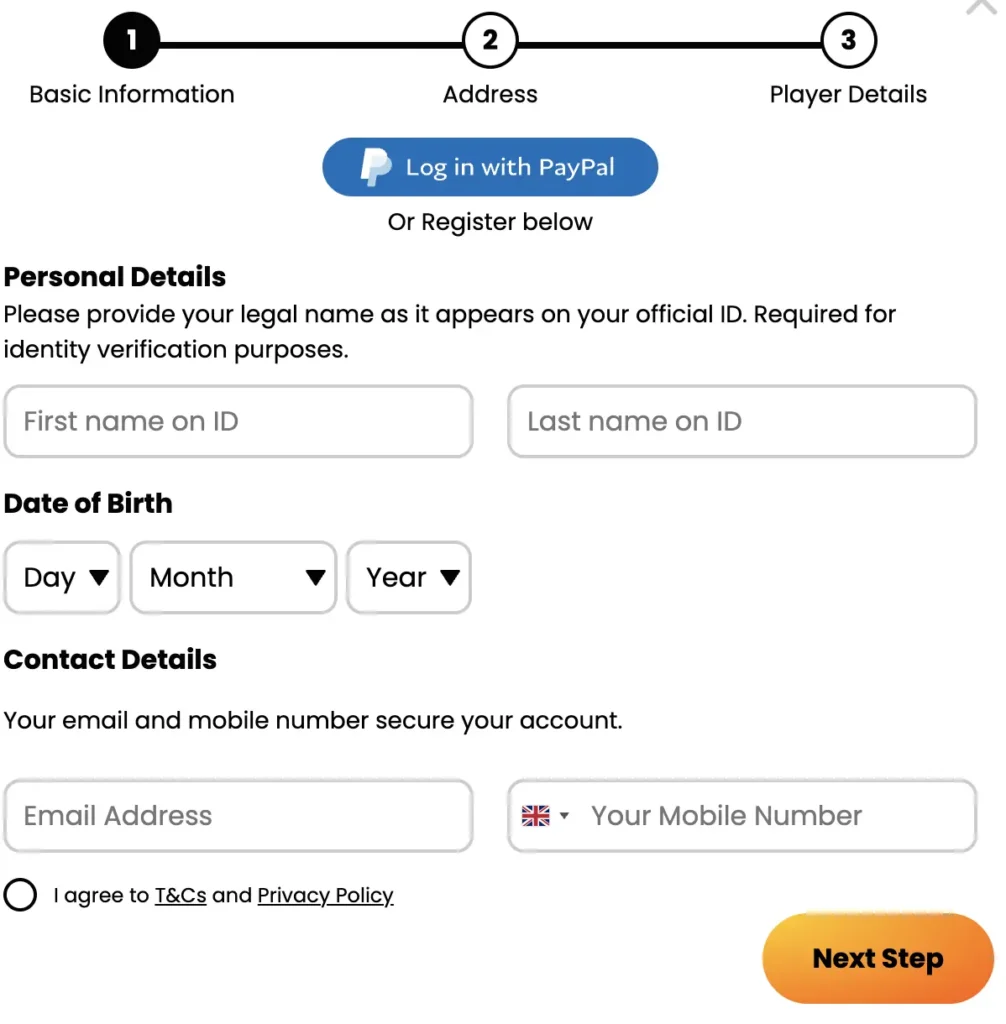
Players interested in Kong Casino registration can create their account by providing a few personal details that help confirm they are human and eligible to gamble.
We discuss the steps to become a registered member at this site.
- Click the Register menu. The action will bring up a registration field to start the sign-up.
- Choose the welcome bonus for casino players as your preferred promotion over the sports first deposit gift.
- Next, fill out your email address and create a unique password of 8 or more characters. Afterward, verify that you are 18 or older and agree to Kong register terms.
- Provide us with your full name, date of birth, gender, home address, postal code, city, phone number and transacting currency.
- Hit the Create Account menu to set up your personal profile and get your unique login details.
Kong Casino Register Requirements
To be a registered member at Kong, you must be at least 18 years old, reside in the UK, and have an eligible source of income. You must also agree to the terms and conditions and privacy policy of the casino as confirmation that you accept how we operate.
These requirements are essential to keep the community safe and ensure that only adult players ever participate in real money services. As a licensed brand, we are mandated to ensure that BOTs and underage people never get access to our services. It is the reason our casino Kong registration and verification exercises are quite strict.
Account Verification
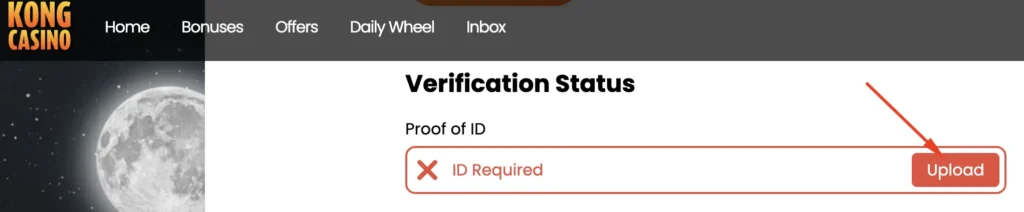
You can verify your account by signing in to your profile and heading to the verification tab. Account verification is mandatory to confirm that you are who you claim to be for a safe and healthy community.
Follow these steps to verify your account before casino Kong login:
- Click on the Account details, then the Verification tab.
- Identity Confirmation: Upload an image of your driver’s license, passport, or a Government-recognized ID document.
- Address Confirmation: Upload an image of your bank account statement or a utility bill not older than 3 months.
Personal Details for Verification
To complete your casino Kong registration and verification, you must provide certain personal information about yourself. The only reason the casino demands these revelations is to ensure that only the right people join the growing community.
Your information helps us know you better and provide services tailored to your needs. Also, we get to protect underage UK players who should not participate in real money wagering services under the age of 18. Be assured, we do not abuse your information or allow unauthorized parties access to it. Our website and app are SSL encrypted, and we prioritize players’ confidentiality as outlined in the privacy policy you consented to during sign up.
Kong Casino Login Process
Here is how to sign in to your account and access your profile:
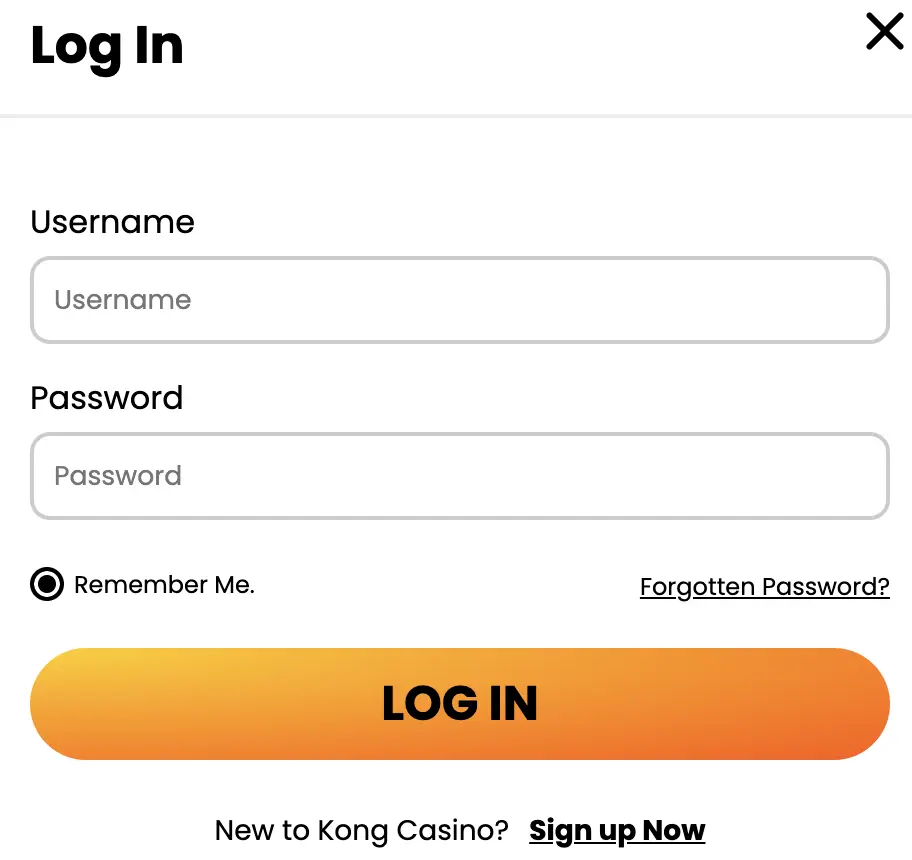
- To open the sign-in page, click the Login button located in the upper right corner of your screen.
- Fill out your email and password in the specified field.
- Click on the Kong Casino Login option to gain access to your account. That is all it takes to sign in to your account.
Players who have an account with Kongcasino can log into their profile from any device as long as they know their password and registration email. Both information is their login details and must be kept private for account security.
Login at Mobile App
Casino Kong users who play with the mobile app can also perform a successful login by providing their email and password on the sign-in page, just like PC users. The Kong Casino sign in process is consistent across all devices, whether you prefer to sign in with the website or the dedicated mobile app.
Installing the mobile app is very easy and can be done through the official website. Simply visit the website with the relevant Android and iOS device and find the Add to Home Screen tab to kick off the download and installation.
Possible Casino Kong Sign In Issues for New Members
You may experience a few Casino Kong log in issues over time due to website downtimes, poor internet connections and forgotten passwords. Sometimes it could be because you are using incorrect login details.
One of them is inability to access your account despite knowing your password. When such a situation arises, it is important to confirm you are using the right email address in your attempt to sign into your Kong account. Also, verify you are not using lowercase for uppercase letters and vice versa.
Additionally, try to determine whether your internet is great. If it is a poor connection, you may need to connect to a good Wi-Fi or take a few walks to another spot for better reception (effective for cellular network users).
In rare instances, website downtime or maintenance could be the cause of the Kong Casino online login issue. We will always send a notification to inform you of such situations while our experts fix the issue in the quickest possible time.
How to Recover Your Registration Password
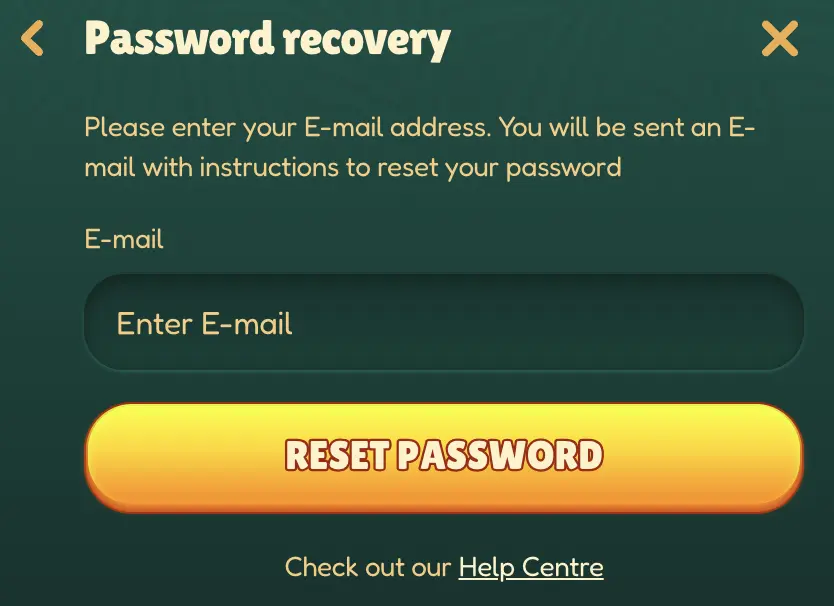
You can recover your Kong password by creating a new one through our password reset link. The process is easy, fast and always reliable.
The password reset link does not exactly help you recover your forgotten combination. Instead, it makes it possible to create a new one. We offer a step-by-step password-recovery process below:
- Tap the Log in menu to enter the sign in window.
- Click on the Forgot Password link on the page and provide your registration email address in the specified field.
- Go to your email and tap on the password reset link we sent to you. The action will take you to a new page to create and confirm your new password.
- Return to the Kong login window and sign in to your profile.